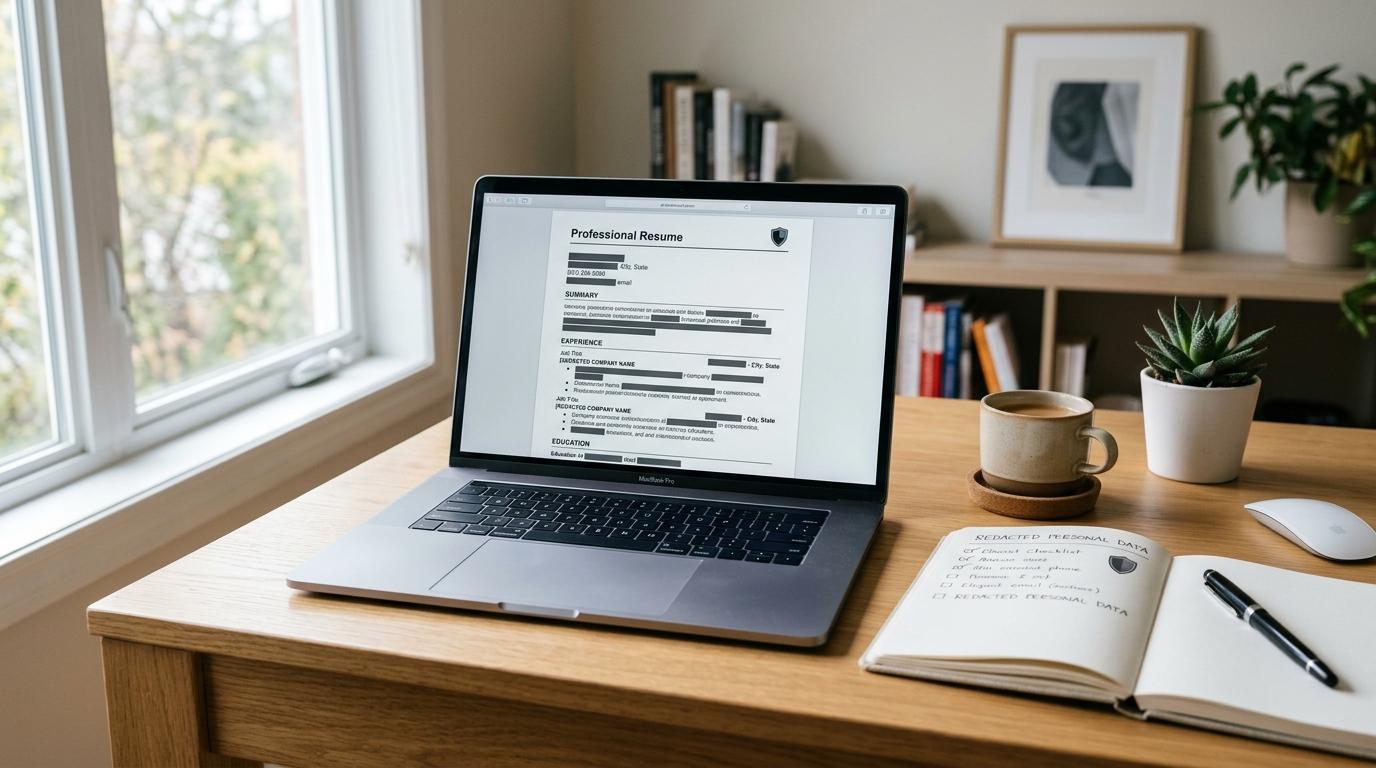
Before you upload your resume to an AI tool, make a redacted copy.
Remove your home address, phone number, personal email, references, confidential employer details, exact client names, salary history, ID numbers, and anything covered by an NDA.
Then check the tool’s privacy settings before you paste or upload anything. If you’re using ChatGPT, review OpenAI’s privacy controls. If you’re using Gemini, check Google’s Gemini Privacy Hub.
AI resume builders can be genuinely useful. They can clean up awkward bullet points, suggest stronger keywords, improve your cover letter, and help you explain your experience more clearly.
But your resume is not just a list of jobs. It can include personal information, private company details, project data, and even contact details for other people. That’s why having an AI resume privacy checklist is a smart habit, even if you only want a quick rewrite.
This guide from AllBlogs is not meant to scare you away from AI tools. It’s just a practical way to use them without sharing more than you need to.
Why resume privacy matters when using AI
#When you paste your full resume into an AI chatbot or upload it to an AI resume builder, you may be sharing more than you realize.
A typical resume can include:
- Your full name
- Your city, address, phone number, and email
- LinkedIn, portfolio, GitHub, or personal website links
- Employer names
- Client names
- Internal project details
- Revenue, budget, or sales numbers
- Manager names
- Reference contact details
- Education dates
- Certifications and ID numbers
Some of this information is normal to share with a real employer when you apply for a job. But that does not mean every AI tool needs to see it.
Different AI tools handle privacy in different ways. Some let you manage chat history, activity saving, model improvement settings, file uploads, and deletion. Some resume platforms clearly explain how they store your documents. Others are less transparent.
So before you upload your resume to AI tools, use the safest version. Share only what the tool actually needs to help you.
A simple rule: give the AI the writing problem, not your whole identity.
AI resume privacy checklist
#Use this checklist before pasting resume text, uploading a PDF, or connecting your resume to an AI builder.
What to remove before upload
#Before using any AI resume builder, create a separate version of your resume. Give it a clear name, such as:
Resume_AI_Redacted.docx
or
Resume_AI_Safe_Copy.txt
Do not edit your only copy. Make a duplicate first, then clean the duplicate.
1. Remove direct contact details
#AI does not need your real phone number or personal email to improve your resume bullet points.
Remove or replace:
- Street address
- Apartment number
- Phone number
- Personal email
- Personal website, if it identifies you and is not needed
- Social media links
A safer resume header could look like this:
[Full Name]
[City, Country]
[Email] | [Phone] | [LinkedIn URL]
If you are only asking the AI to rewrite a few bullet points, you may not need to include a header at all.
2. Remove reference information
#Do not upload reference contact details to an AI tool unless you have a very specific reason and permission from those people.
In most cases, the AI does not need references to improve your resume.
Delete:
- Reference names
- Phone numbers
- Email addresses
- Job titles
- Company names connected to references
- Notes like “available after 6 p.m.”
References are people, not formatting data.
3. Replace employer-sensitive details
#Your resume can still sound strong without exposing private company information.
Instead of this:
Managed the AtlasPay launch for BluePeak Bank, supporting a $4.8M migration across 11 internal systems.
Use this:
Managed a payment platform launch for a financial services client, supporting a large-scale migration across multiple internal systems.
You keep the achievement, but remove the risky details.
4. Generalize client and project names
#This is especially important for consultants, freelancers, agency workers, developers, product managers, researchers, and anyone working with private clients.
Replace:
- Client names with industry labels
- Project code names with general descriptions
- Internal tool names with functional descriptions
- Unreleased product names with neutral placeholders
Examples:
[major retail client][internal analytics dashboard][B2B SaaS product][confidential acquisition project]
It may feel a little strange at first, but the AI can still help with the wording.
5. Be careful with numbers
#Metrics make resumes stronger. But some numbers may not be yours to share.
You can often keep the impact while reducing the risk:
- “Increased conversion by 18%” may be safer than naming the product and revenue.
- “Managed a seven-figure budget” may be safer than sharing the exact amount.
- “Reduced processing time by 30%” may be safer than naming the internal system.
If a number feels sensitive, use a placeholder first. You can add the real number back later in your private final resume, if appropriate.
6. Remove IDs and personal records
#AI resume tools do not need:
- Passport numbers
- Aadhaar, PAN, Social Security, or tax IDs
- Student ID numbers
- Employee ID numbers
- License numbers, unless truly needed and redacted
- Bank details
- Date of birth
- Full academic records
If you are using AI to summarize a certificate, transcript, or work document, copy only the relevant text into a clean note. Remove everything else.
Tool privacy settings to check
#Privacy controls vary by platform, and the labels can change over time. Always check the official help page for the tool you’re using.
Here are the main areas to review before uploading anything.
ChatGPT resume privacy and OpenAI privacy controls
#If you use ChatGPT for resume writing, review OpenAI’s privacy and data controls in your account settings.
Look for settings related to:
- Chat history
- Whether your content may be used to improve models
- Temporary chats, if available
- Deleting chats
- Exporting or managing your data
- Connected apps or file uploads
OpenAI provides privacy controls, but that does not mean you should upload an unredacted resume. Use both: safer settings and a cleaned resume.
Also remember that ChatGPT product settings and API or business settings may not work the same way. If you are using a workplace or school account, check the rules for that account too.
Gemini Privacy Hub
#If you use Gemini, visit Google’s Gemini Privacy Hub and review settings related to Gemini Apps Activity, saved activity, deletion, and how your interactions may be used.
Before using Gemini for resume content, check:
- Whether Gemini Apps Activity is on or off
- What activity is saved
- How to delete past activity
- Whether human review may apply under the current policy
- What Google recommends you avoid entering
The safest habit is still the same: do not paste private, confidential, or unnecessary personal details into the prompt.
Dedicated AI resume builders
#For dedicated resume builders, resume scanners, and cover letter generators, read the privacy policy before uploading your document.
Check for:
- What data the tool collects
- Whether uploaded resumes are stored
- How long files are kept
- Whether your content may be used to train or improve models
- Whether data is shared with third parties
- Whether you can delete your account and uploaded documents
- Whether the tool explains security practices clearly
- Whether free and paid users have different terms
Be cautious if a tool is vague, hides its privacy policy, asks for too many permissions, or wants cloud storage access without explaining why.
Resume scanner privacy
#A resume scanner may simply compare your resume with a job description. Or it may store, analyze, or reuse uploaded content, depending on the tool.
Before using a scanner, ask:
- Can I paste text instead of uploading a file?
- Can I remove my contact details first?
- Does the tool say whether it stores my resume?
- Can I delete uploaded files?
- Is the scanner run by an employer, a job board, or a third-party tool?
If you only need keyword feedback, a redacted text version is usually enough.
Safer prompt examples
#The safest prompts give the AI enough context to help without giving it everything.
Resume bullet rewrite
#Unsafe:
Rewrite this bullet: Managed the Project Falcon launch for ABC Bank under Priya Sharma, handling a ₹3.6 crore budget and reporting directly to the CFO.
Safer:
Rewrite this resume bullet to sound more results-focused: Managed a confidential product launch for a financial services company, handling a large project budget and reporting to senior finance leadership.
Career change summary
#Unsafe:
I work at [real company name] on an unreleased AI hiring product. Rewrite my resume summary for product manager jobs.
Safer:
Rewrite this resume summary for product manager roles. Keep it general and do not mention confidential products: I have experience coordinating cross-functional teams, improving user workflows, and supporting product launches in a technology environment.
ATS keyword improvement
#Unsafe:
Here is my full resume with my phone number, address, references, and client list. Match it to this job description.
Safer:
Compare this redacted resume text with the job description. Suggest missing skills or keywords I can add if accurate. Do not invent experience.
Cover letter help
#Unsafe:
Write a cover letter using my current employer’s internal expansion plan and client pipeline.
Safer:
Write a cover letter for a business development role using general experience in market research, client communication, and pipeline support. Avoid confidential employer details.
LinkedIn profile rewrite
#Unsafe:
Rewrite my LinkedIn profile. Here is my personal phone number, private email, and current internal project.
Safer:
Rewrite this professional summary for LinkedIn. Use a confident tone, but keep it general and avoid private employer or contact details.
When not to upload a resume
#Sometimes redaction is not enough. In these situations, it is better to avoid uploading your resume or work details to a public AI tool.
1. Your resume includes NDA-covered work
#If your role, metrics, clients, or projects are covered by a non-disclosure agreement, do not paste those details into an AI tool.
Use broad, non-sensitive descriptions or edit the section manually.
This is not legal advice. If you’re not sure what you can share, check your agreement or ask the right professional contact.
2. Your work involves security-sensitive projects
#Be extra careful with resumes involving government work, defense, cybersecurity, law enforcement, investigations, infrastructure, or sensitive research.
Even if your resume sounds normal to you, the mix of employer, project, timeline, and tools may reveal more than you intended.
3. You are describing unreleased products or stealth work
#If a product, acquisition, funding round, research result, or launch is not public, do not upload details about it.
Use general phrases like:
- “early-stage product”
- “confidential initiative”
- “internal platform”
- “private research project”
4. The tool asks for broad file access
#Be cautious if an AI resume tool asks to access your full drive, inbox, cloud storage, or job board account when you only need a bullet point rewrite.
If you cannot limit access to one redacted file, skip the upload.
5. The privacy policy is unclear
#If you cannot find basic information about storage, deletion, sharing, or model improvement, do not upload a resume with personal or sensitive details.
A polished resume is not worth unnecessary exposure.
What to do if you already uploaded an unredacted resume
#First, do not panic. One accidental upload does not automatically mean something bad has happened.
Take these practical steps:
- Delete the conversation or uploaded file if the tool allows it.
- Review the platform’s privacy settings and data controls.
- Check whether the platform offers a way to delete activity or request deletion.
- Change passwords only if you exposed login details, which should not be on a resume anyway.
- Monitor for suspicious messages if your phone number or email was included.
- If you believe there is active fraud or identity risk, contact the platform’s official support channels and relevant local authorities or identity protection resources.
Avoid unofficial “recovery” services or random links from strangers. They can make things worse.
Quick workflow: the safer way to use AI for resumes
#Here is a simple process you can repeat every time.
- Make a copy of your resume.
- Rename it as an AI-safe version.
- Remove contact details, references, IDs, and confidential data.
- Replace sensitive names and numbers with placeholders.
- Paste only the section the AI needs.
- Ask for suggestions, not invented experience.
- Copy the improved wording back into your private resume.
- Restore real details only in your own final document.
- Delete chats or uploads if the tool allows it.
- Review privacy settings regularly.
This keeps the AI focused on structure, clarity, grammar, and keyword alignment instead of your private life.
Final thought
#Using AI for your resume does not have to feel risky or complicated. The safest approach is simple: redact first, check settings second, and share only what the tool actually needs to help.