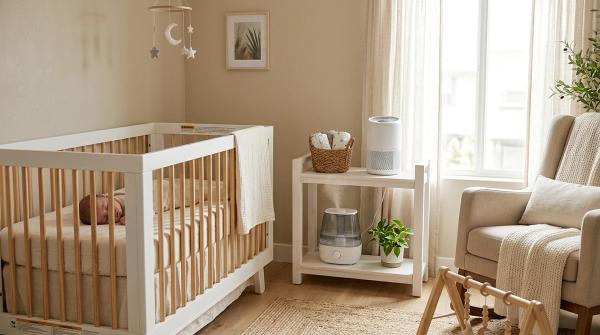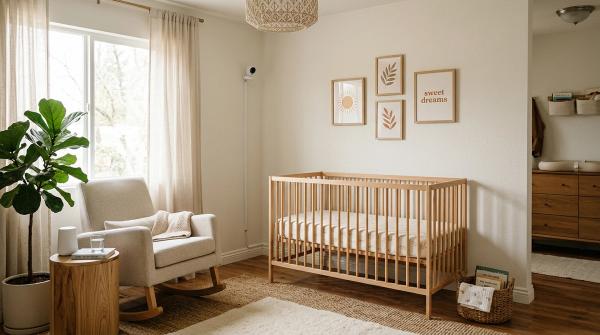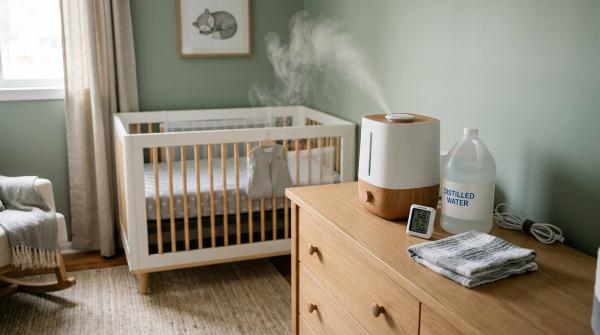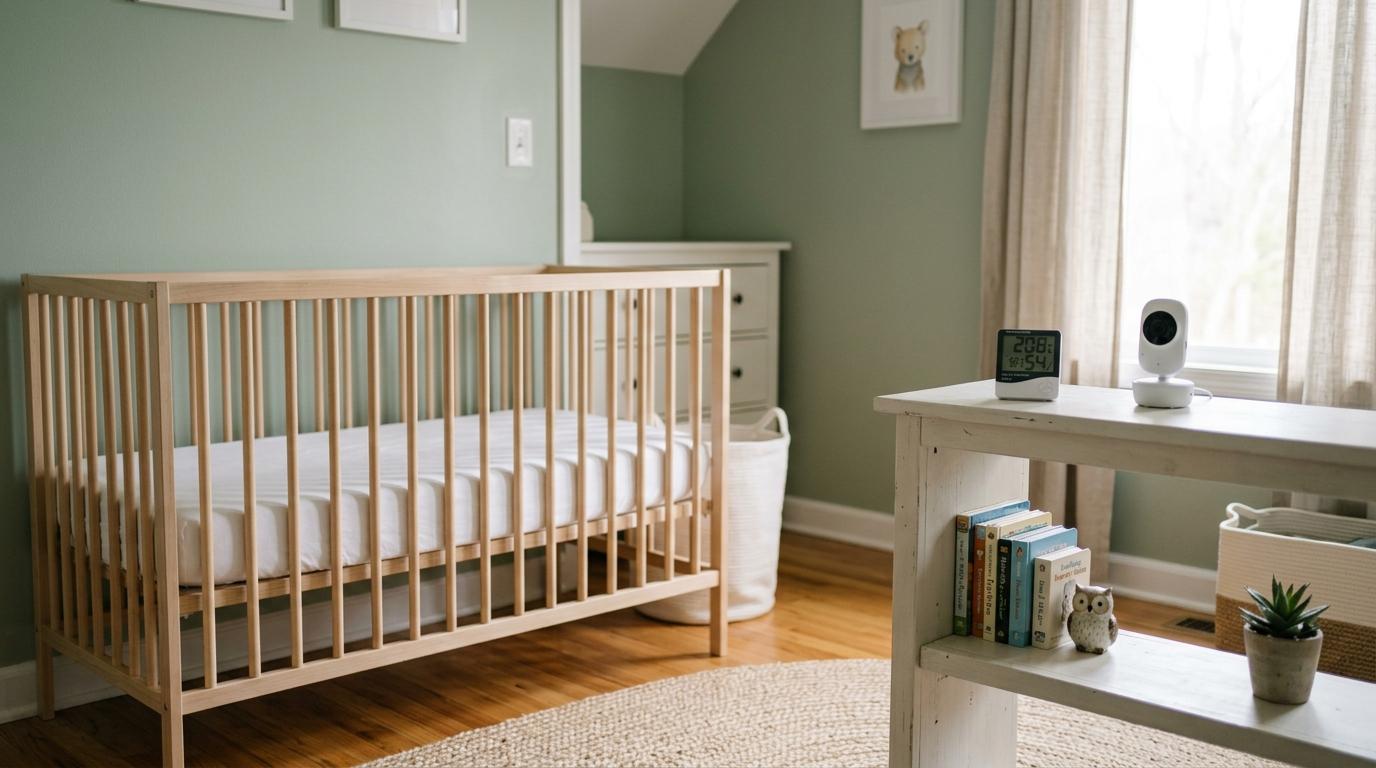
A baby room thermometer tells you if the room is too hot or too cold. A nursery hygrometer tells you if the air is too dry or too damp. A baby monitor helps you hear or see your baby when you’re in another room.
That’s it. That’s the simple version.
And honestly, that’s all many new parents need.
When you’re setting up a baby’s room, it’s very easy to feel like you’re missing something. One product promises safer sleep. Another tracks temperature, humidity, movement, breathing, crying, and probably your stress levels too. Before you know it, you’re wondering if a basic nursery is “enough.”
It is.
A safe baby room is not about having the most expensive monitor. It’s about a safe sleep space, comfortable room conditions, and practical tools that actually help in your home.
For many families, including many Indian homes, a simple thermometer-hygrometer and a basic monitor, if needed, are more than enough. Whether you live in a hot city, a humid coastal area, a small flat, a high-rise apartment, or a place with regular power cuts, the goal is the same: keep things safe, comfortable, and manageable.
Let’s break down what each device does, when it’s useful, and where you can safely save your money.
Quick Comparison: Thermometer vs Hygrometer vs Baby Monitor
#What a Baby Room Thermometer Actually Does
#A baby room thermometer measures the air temperature in the room where your baby sleeps.
It sounds basic because it is. But basic is often exactly what you need.
Babies can get uncomfortable if the room is too warm, too cold, or stuffy. Overheating is also something parents are usually advised to avoid as part of safe sleep guidance. A thermometer gives you a quick reality check, especially in those classic household debates where one adult says, “It’s freezing,” and another says, “It’s perfectly fine.”
For most families, a small digital thermometer placed on a shelf near the baby’s sleep area works well.
Just keep it safely out of the baby’s reach.
Avoid placing it:
- In direct sunlight
- Right under an AC vent
- Next to a heater
- Beside a window that gets very hot or cold
- Inside the crib, bassinet, or play yard
- On top of a camera, charger, router, or warm appliance
The idea is to measure the general room temperature, not one hot patch of sunlight or one cold blast of AC air.
What a Nursery Hygrometer Does
#A nursery hygrometer measures humidity. In plain language, it tells you how much moisture is in the air.
This matters because baby room humidity can change a lot depending on the season, weather, and your home setup.
For example:
- AC can make the air feel dry.
- Monsoon weather can make rooms damp.
- Small apartments can trap moisture.
- Drying clothes indoors can increase humidity.
- Rooms that stay closed for long hours can start feeling musty.
A practical indoor humidity range is usually around 30% to 50%. It’s also sensible to avoid humidity staying above 60% for long periods, because damp conditions can encourage mold and mildew.
You don’t need to keep checking the number every 10 minutes. Please don’t add that to your already long list of new-parent worries.
Just look for patterns.
If the humidity is often very low, the air may be too dry. If it’s often high, check for signs like damp walls, a musty smell, condensation on windows, or poor airflow.
During monsoon, a nursery hygrometer can be genuinely useful because the room may feel “okay” but still be staying damp for too long.
What a Baby Monitor Does, and What It Does Not Do
#A baby monitor helps you hear or see your baby when you’re not in the same room.
That can be very useful, especially during naps or evenings when your baby is asleep and you’re in the kitchen, bathroom, living room, or another bedroom.
You may want a baby monitor if:
- Your baby naps in a different room
- Your bedroom is far from the nursery
- Your apartment has thick walls
- You need to hear your baby while cooking, bathing, or working
- Another caregiver needs an easy way to check in
- You feel more relaxed being able to listen from another room
Many families do perfectly well with a basic audio monitor. A video monitor can be helpful, but it is not automatically safer. In fact, for some tired parents, video can become one more thing to obsess over. You may find yourself staring at every tiny movement and wondering if something is wrong when your baby is simply sleeping like a baby.
If your baby monitor has a temperature display, treat it as a rough guide.
A standalone baby room thermometer or nursery temperature monitor is usually better for room readings because you can place it in a more neutral spot. A camera might be mounted on a wall, near a plug point, in sunlight, or close to electronics. All of that can affect its reading.
So, if the baby monitor says the room is strangely hot or cold, compare it with a separate thermometer before panicking.
Do You Need All Three?
#Not always.
A sensible setup for many families is:
- A combined baby room thermometer and nursery hygrometer
- A basic audio or video monitor, if your baby sleeps out of earshot
- Safe sleep basics, every single time
If your baby sleeps in the same room as you, especially in the early months, you may not need a monitor right away. If you live in a small apartment and can hear the baby easily, an audio monitor may be enough. If your baby always naps close by, you may be fine without a monitor for a while.
On the other hand, if your home has strong AC, heavy monsoon humidity, big temperature changes, or frequent power cuts, a thermometer and hygrometer may be more useful than a premium smart monitor.
Buy for your actual home, not for someone else’s beautiful nursery setup on Instagram.
India-Aware Tips: Heat, Monsoon, Apartments, and Power Cuts
#Indian homes can be very different from each other. A baby sleeping in a humid Mumbai flat has different room comfort issues from a baby in a dry, hot city, a hill-station winter, or an air-conditioned high-rise.
Here are a few practical things to keep in mind.
1. Summer Heat and AC Use
#In hot weather, AC can make the room much more comfortable. The concern is not AC itself. The concern is extremes.
Try to avoid:
- A room that becomes too hot and stuffy
- Direct cold air blowing on the baby
- Placing the crib directly under an AC vent
- Dressing the baby in too many layers just because the AC is on
- Big temperature swings through the night
Keep the room comfortable for sleep. If you’re unsure whether your baby is too warm, check the chest or the back of the neck. Hands and feet often feel cooler than the rest of the body, so they’re not always the best guide.
If your baby is sweating, flushed, or feels hot on the chest, reduce layers or adjust the room conditions.
2. Monsoon Humidity
#During monsoon, a room can feel damp even when it isn’t very hot. This is where a nursery hygrometer really earns its place.
Watch for:
- Musty smells
- Damp walls or corners
- Condensation on windows
- Clothes taking too long to dry indoors
- Humidity staying above 60% for long periods
- Cupboards or curtains smelling damp
If the nursery is damp, improve ventilation where possible. Open windows when outdoor conditions allow. Use fans sensibly. Avoid adding more moisture unless the room is actually dry.
The aim is not to make the air bone-dry. The aim is to avoid a room that stays damp for days.
3. Apartment Living
#Many Indian apartments have thick concrete or brick walls, and these can affect monitor range. Before buying a monitor, think about your actual layout.
Ask yourself:
- Can you already hear the baby without a monitor?
- Does your Wi-Fi reach the nursery properly?
- Will a radio-frequency monitor work through the walls?
- Is there a safe place to keep or mount the camera?
- Can all cords be kept far away from the crib?
A Wi-Fi monitor may work well in some homes, but only if your router coverage is good. In other homes, a non-Wi-Fi audio monitor may be simpler, less fussy, and more reliable.
If possible, test the monitor in the actual room before fully relying on it.
4. Power Cuts and Backup
#If your area has regular power cuts, keep at least one nursery tool battery-powered.
A simple battery-operated thermometer-hygrometer can keep working even when Wi-Fi, routers, and plug-in cameras stop.
For baby monitors, check:
- Does the parent unit have battery backup?
- How long does it last after charging?
- Does the camera need to be plugged in all the time?
- Will the monitor still work if the Wi-Fi goes down?
- Do you need a power bank or backup option?
A Wi-Fi baby monitor depends on your router and internet setup, not just the camera. If the power goes, the whole system may stop unless you have backup power.
Buying Checklist for New Parents
#Before buying a baby room thermometer, nursery hygrometer, or baby monitor, go through this checklist.
1. Accuracy
#For temperature and humidity, simple and dedicated often beats fancy.
Look for:
- Clear digital readings
- Consistent readings over time
- Easy placement
- A display you can read at a glance
- Reset or calibration options, if available
If your baby monitor temperature reading looks odd, don’t rely on it blindly. Compare it with a standalone thermometer placed away from heat, sunlight, vents, and electronics.
You don’t need lab-level precision. You just need a sensible reading that helps you spot uncomfortable room conditions.
2. Alerts
#Alerts can be helpful. Too many alerts can make you miserable.
Useful alerts include:
- Temperature too high
- Temperature too low
- Humidity too high
- Humidity too low
- Monitor out of range
- Low battery
Choose a device that lets you adjust or silence alerts. A monitor that beeps for every tiny change may end up disturbing everyone’s sleep, including yours.
The goal is support, not constant alarm.
3. Cords
#Baby monitor cords need serious attention.
Keep all cords at least 3 feet, about 1 meter, away from the crib, bassinet, or play yard.
Do not:
- Attach a corded camera to crib rails
- Leave loose cords hanging near the sleep space
- Run charging cables where the baby can reach them
- Place plug-in devices inside or directly beside the crib
Babies learn to roll, reach, pull, crawl, and stand faster than parents expect. A cord that feels “far enough” today may not be safe a few weeks later.
Secure cords to the wall and keep them fully out of reach.
4. Batteries
#Check what kind of batteries the thermometer, hygrometer, or monitor uses.
Ask:
- Does it use common batteries?
- Is the battery easy to replace?
- Does it show low battery clearly?
- Will it keep working during a power cut?
- Does the monitor parent unit need charging too often?
- Will you realistically remember to recharge it?
In homes with power cuts, battery backup is not a fancy extra. It’s practical.
5. App Privacy
#If you buy a Wi-Fi baby monitor, set it up properly.
Basic privacy steps include:
- Change the default password
- Use a strong, unique password
- Keep your home Wi-Fi password private
- Turn on two-factor authentication if available
- Update the app and device firmware when prompted
- Avoid sharing access casually with too many people
- Remove access for anyone who no longer needs it
If you don’t need to view your baby from outside the home, a non-Wi-Fi monitor may feel easier and more private.
Not every nursery device needs an app.
6. Placement
#Where you place the device matters more than many parents realise.
For a thermometer or hygrometer:
- Place it near the sleeping area, but not inside it
- Keep it out of baby’s reach
- Avoid direct sunlight
- Avoid AC vents and heaters
- Avoid windows that get very hot or cold
- Don’t place it on warm electronics or appliances
For a baby monitor:
- Place it far enough to see or hear clearly
- Keep all cords secured and away from the crib
- Avoid mounting anything unsafe over the sleep space
- Make sure the device itself cannot fall into the crib
- Check the viewing angle before your baby starts moving more
Good placement can make a basic device much more useful.
Poor placement can make even an expensive one misleading or unsafe.
Safe Sleep Comes Before Nursery Tech
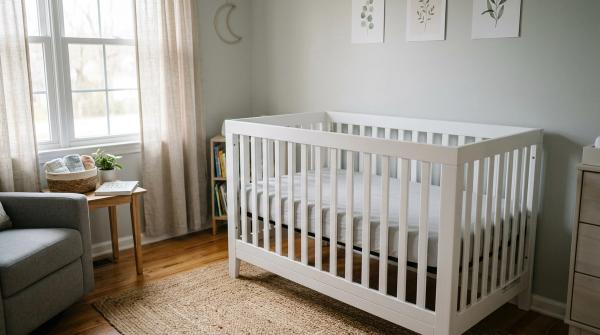
#A safe nursery is not built around gadgets. It starts with the sleep space.
Follow these safe sleep basics whenever your baby sleeps:
- Place baby on a firm, flat sleep surface
- Use a mattress made for the crib, bassinet, or play yard
- Use only a tightly fitted sheet
- Keep the sleep space free of pillows, loose blankets, toys, bumpers, and soft items
- Avoid overheating
- Dress baby in suitable layers for the room
- Use a wearable blanket or sleep sack instead of a loose blanket, if extra warmth is needed
- Keep monitor cords and electrical cords away from the sleep area
Room sharing means your baby sleeps in the same room as caregivers, but on a separate safe sleep surface.
Bed sharing is not the same thing.
No thermometer, hygrometer, monitor, camera, or app can make an unsafe sleep setup safe. These tools can support you, but they do not replace safe sleep habits.
How to Think About “Perfect” Nursery Temperature
#Many parents want one perfect number for the baby’s room.
Real homes don’t work that neatly.
The same temperature can feel comfortable in dry weather and stuffy during monsoon. Your baby may be dressed differently in winter than in summer. AC airflow, fan speed, sunlight, curtains, room size, and apartment insulation all change how the room feels.
Instead of chasing one perfect number, aim for:
- A room that feels comfortable to a lightly dressed adult
- No direct hot or cold airflow on the baby
- No sweating or flushed overheating signs
- No heavy layering in a warm room
- A steady, practical temperature when possible
- Sleepwear that suits the room, not the season alone
A thermometer helps you make better decisions, but your baby’s condition matters too.
If your baby seems unwell, feverish, unusually sleepy, floppy, or difficult to wake, don’t rely on a room thermometer. Contact a qualified healthcare professional.
How to Manage Baby Room Humidity Without Overdoing It
#A nursery hygrometer helps you avoid two common mistakes: ignoring dampness and overusing humidifiers.
If the air is very dry, some families use a cool-mist humidifier. If you use one, clean and dry it regularly according to the manufacturer’s instructions. A dirty humidifier can spread unwanted particles into the air.
If the air is already humid, adding a humidifier will make things worse.
This is especially important during monsoon. The room may not feel hot, but it may still be damp. In that case, focus on airflow, damp control, and preventing mold-friendly conditions.
Practical humidity habits include:
- Check humidity at different times of day
- Ventilate when outdoor conditions allow
- Avoid drying lots of wet clothes in the nursery
- Watch for damp corners and musty smells
- Keep furniture slightly away from damp walls, if needed
- Clean and dry humidifiers properly if you use them
- Avoid long-term dampness and mold
The hygrometer is a guide. Your eyes and nose matter too.
If a room smells musty, feels damp, or has visible mold, don’t ignore it just because the number looks acceptable.
A Simple Buying Plan by Home Type
#Small Apartment Where You Can Hear the Baby
#You may only need:
- Baby room thermometer
- Nursery hygrometer, often combined with the thermometer
- Optional audio monitor
A video monitor can be nice, but it is not essential if you’re always close by and can hear your baby easily.
Larger Home or Thick-Walled Apartment
#Consider:
- Combined thermometer-hygrometer
- Audio or video baby monitor
- Range check before relying on it
- Safe cord placement
- Battery backup if power cuts happen often
If walls block signal, test the monitor in the actual nursery before depending on it overnight.
Hot Climate With AC
#Prioritize:
- Reliable baby room thermometer
- Hygrometer to check if AC is making the air too dry
- Safe crib placement away from direct airflow
- Sensible baby clothing layers
- Battery backup if power cuts are common
The AC can be helpful. Just avoid direct airflow, overheating from too many layers, and sudden extremes.
Monsoon-Prone Home
#Prioritize:
- Nursery hygrometer
- Good ventilation
- Damp and mold checks
- Avoiding unnecessary humidifier use
- Watching for musty smells or condensation
In monsoon, humidity can be the bigger issue than temperature.
Home With Frequent Power Cuts
#Prioritize:
- Battery-powered thermometer-hygrometer
- Baby monitor with battery backup
- A backup plan for router or Wi-Fi downtime
- Common batteries or easy charging options
Simple battery-powered tools can be more reliable than smart devices when the power goes out.
What You Can Skip
#You can usually skip:
- A premium smart monitor just for temperature readings
- Multiple thermometers in the same small room
- A humidifier before checking actual humidity
- Any product that encourages unsafe crib attachments
- Devices with cords that cannot be placed safely
- Constant alerts that make you more anxious
- Fancy app features you’ll never use
- Buying a device only because another parent has it
Spend first on the basics. Then add only what solves a real problem in your home.
Bottom Line
#For most new parents, the best setup is simple: a reliable baby room thermometer, a nursery hygrometer, and a baby monitor only if you need to hear or see your baby from another room.
Don’t overbuy out of fear.
Keep the room comfortable. Watch for dampness and overheating. Place cords safely. Protect app privacy if you use Wi-Fi. And most importantly, focus on a firm, flat, clutter-free sleep space.
The right nursery setup is not the fanciest one. It’s the one that helps your baby sleep safely and helps you worry a little less.