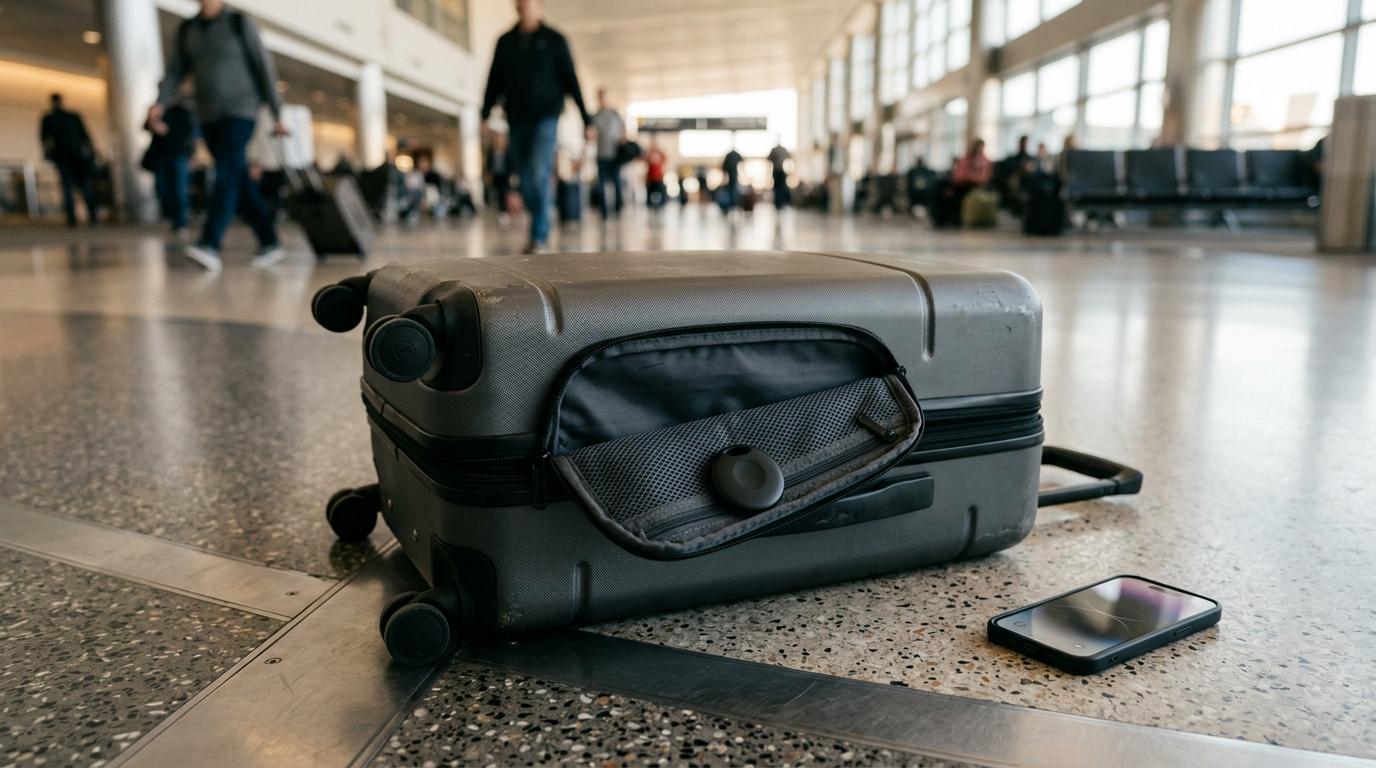
Buying a luggage tracker before a flight, train journey, or move abroad? Start with the most boring but most important question:
Which phone do you use?
If you use an iPhone, an Apple AirTag or an Apple Find My compatible tracker is usually the safest choice. If you use Android, look for a tracker that works with Google’s Find My Device network. If you are deep into the Samsung ecosystem, the Samsung Galaxy SmartTag 2 may make more sense.
And what about GPS luggage trackers? They sound more powerful, and in some cases they are. But for regular checked baggage, they are often more than most travelers need. GPS trackers are better suited for cargo, expensive equipment, remote routes, or situations where you genuinely need more independent tracking.
This guide is for Indian travelers who want a little less stress at airports, railway stations, baggage belts, hotels, transfers, and all those messy travel moments where one missing suitcase can ruin the mood.
Short answer
#- iPhone user: choose Apple AirTag or an Apple Find My compatible tag because it has strong ecosystem support and easy setup.
- Samsung user: consider Samsung Galaxy SmartTag 2 if you already use Samsung phones and services.
- General Android user: choose a Google Find My Device compatible tag rather than buying an AirTag that does not work smoothly with Android.
- Frequent international traveler: start with a Bluetooth tracker; consider GPS only if your use case genuinely needs independent tracking.
- Cargo, equipment, or remote-route tracking: consider a GPS luggage tracker, but check subscription, charging and airline battery rules first.
Simple rule: buy the tracker that matches your phone ecosystem. A good tracker in the wrong ecosystem quickly becomes a small plastic headache inside your bag.
Why Indian travelers are buying luggage trackers now
#If you have ever stood at a baggage belt in Delhi, Mumbai, Bengaluru, Dubai, London, Singapore, or Doha while everyone else collected their suitcase first, you already understand the appeal.
A luggage tracker will not stop an airline from delaying your bag. It will not replace the airline’s baggage system either. What it gives you is something very useful: an extra clue.
That helps when:
- Your bag misses a connecting flight.
- Your suitcase reaches the airport but does not appear on the belt.
- Your family is traveling with multiple checked bags.
- You are a student moving abroad with half your life packed into two suitcases.
- You use cloakrooms, railway luggage storage, or crowded train stations.
- You need something useful to show at the airline baggage desk when things go wrong.
For most travelers, this is not about “live spy movie tracking”. It is about peace of mind. And sometimes, it helps you act faster when your bag is not where it should be.
Who should buy a luggage tracker?
#Buy one if you check in bags often
#If you regularly fly with checked luggage, a tracker is useful. It is especially helpful on routes with connections, international transfers, or tight layovers.
For example, if you are flying Bengaluru to Toronto via Frankfurt, or Mumbai to New York via Doha, your bag passes through more than one handling point. A tracker can help you understand whether it moved with you or got left behind somewhere.
Buy one if you are a student moving abroad
#Students usually travel with large suitcases packed with clothes, documents, electronics, food items, winter wear, and other essentials. Losing even one bag in the first few days abroad can be a serious headache.
A tracker cannot guarantee recovery. But it can show whether the bag is still at the origin airport, stuck at a transit airport, or somewhere near the arrival terminal.
That information can be genuinely useful when you are tired, jet-lagged, and trying to explain the situation at a baggage counter.
Buy one if you travel with family
#Family trips often mean too many bags and too few hands.
There are checked suitcases, cabin bags, backpacks, strollers, snack bags, and someone asking, “Where is the blue suitcase?” every ten minutes.
Putting one tracker in each important checked bag can make arrival less stressful. It also helps when one person is handling luggage while someone else is busy with kids, immigration, transport, or hotel check-in.
Buy one if you travel by train
#Luggage trackers are not only for flights. They can also help on Indian train journeys, especially when bags are kept near doors, under berths, or in shared luggage areas.
On crowded routes, a Bluetooth tag may help you notice if a bag moves away from you. Of course, it is not a replacement for locks, chains, and basic caution. But it adds one more layer.
Buy one if baggage anxiety spoils your trip
#Some people do not buy trackers because their bag is likely to get lost. They buy them because checking in luggage makes them anxious until the bag appears on the belt.
If that sounds like you, a tracker is a small accessory that can reduce stress. Not completely, but enough to make travel feel a little more manageable.
Who should avoid buying one?
#Avoid it if you only travel with cabin baggage
#If your bag stays with you from home to hotel, a luggage tracker may not be necessary. You can still use one for keys, backpacks, wallets, or laptop bags, but for luggage alone, the value is limited.
Avoid it if you expect live tracking in the sky
#Bluetooth luggage trackers do not update continuously during a flight.
Your bag is inside the aircraft hold, surrounded by metal, and away from phones that can relay its location. So if your tracker still shows the bag at the departure airport after take-off, do not panic immediately.
Updates usually happen when the bag is around compatible phones — at airports, terminals, baggage areas, hotels, stations, and other busy places.
Avoid Bluetooth tags for remote wilderness tracking
#If you are trekking in remote Himalayan regions or traveling through areas with very low foot traffic, a Bluetooth tracker may not update for long periods.
These trackers depend on nearby compatible phones. No phones nearby means no fresh location update.
For that kind of use, a GPS tracker may make more sense. But it also comes with higher cost, charging needs, and more maintenance.
Avoid GPS trackers if you hate subscriptions and charging
#GPS trackers can be useful, but they are not as low-maintenance as Bluetooth tags.
They may need:
- A subscription plan
- Mobile data or cellular connectivity
- Regular charging
- More careful airline battery checks
For normal passenger baggage, most people do not need that level of tracking.
Bluetooth vs GPS vs airline baggage tracking
#This is where many buyers get confused.
A Bluetooth tag, a GPS luggage tracker, and airline baggage tracking are three different things.
Quick comparison
#- Bluetooth tracker: best for airports, cities, trains and normal checked bags. Examples include AirTag, SmartTag and Find My compatible tags. Usually no monthly fee, but location updates depend on nearby compatible phones.
- GPS luggage tracker: best for cargo, expensive equipment or remote tracking. It can be more independent, but usually costs more, needs charging and may involve subscriptions.
- Airline baggage tracking: best as the official handling record. It depends on airline scans, so it may not always show the full real-world location picture.
How Bluetooth luggage trackers work
#Most Bluetooth trackers do not have their own GPS hardware. Instead, they send out a secure Bluetooth signal.
When a compatible phone passes nearby, that phone can anonymously relay the tracker’s location to the network. You then see an approximate location in your app.
For example:
- An iPhone near your AirTag can help update its location through Apple’s Find My network.
- A compatible Android phone can help update a Google Find My Device tracker.
- Samsung SmartTags work best through Samsung’s own ecosystem.
This is why the network matters so much.
A tracker that only works through a small, unknown app may be fine for finding your keys at home. But if your suitcase is sitting in another airport, that small app network may not help much.
Pros of Bluetooth luggage trackers
#- Usually no monthly subscription
- Small and easy to hide inside a suitcase
- Battery can last a long time, depending on the model
- Works well in airports, stations, hotels, and busy cities
- Good enough for most checked baggage use
Cons of Bluetooth luggage trackers
#- Not true live tracking
- Location updates depend on nearby compatible phones
- Remote areas may show old locations
- The wrong phone ecosystem can make the tracker frustrating
- Cheaper tags may miss some features found on first-party trackers
How GPS luggage trackers work
#A GPS luggage tracker is more independent. It may use GPS and cellular connectivity to send location updates. That means it does not depend on random nearby phones in the same way a Bluetooth tag does.
Sounds better, right?
Sometimes it is. But not always.
Pros of GPS trackers
#- More independent than Bluetooth tags
- Better for cargo, equipment, or remote tracking
- Useful where crowd-based networks are weak
- May offer more frequent location updates, depending on the device and plan
Cons of GPS trackers
#- Often need subscriptions
- Need regular charging
- Can be bulkier
- May raise airline battery questions depending on the model
- Usually overkill for regular checked baggage
For most flyers passing through busy airports, Bluetooth trackers are better value.
How airline baggage tracking works
#When you check in a bag, the airline attaches a barcode tag. That tag is scanned at different points, such as check-in, loading, transfer, arrival, or delivery.
Some airline apps show these updates. This is useful, but it has one obvious limitation: the airline system only knows what was scanned.
If the bag missed a scan, the app may not show the full picture.
A Bluetooth tracker can sometimes give you a more practical clue. For example, it may show whether your suitcase is still at the departure airport or has reached the arrival terminal.
Still, remember this: the airline baggage desk and official complaint process matter more than your tracker screenshot. Your tracker helps you explain the problem. It does not replace filing a proper report.
AirTag vs Android tracker for luggage
#The biggest mistake is buying based on hype instead of compatibility.
If you use an iPhone
#Apple AirTag is the obvious choice. You can also consider certified third-party tags that clearly say they work with Apple Find My.
Read the wording carefully. If a product only says “Bluetooth tracker” and uses its own app, it may not have the same network advantage.
AirTag also has some Apple-specific features that cheaper compatible tags may not fully match. But for most travelers, the biggest benefit is the Apple Find My network itself.
If you use Android
#Do not buy an AirTag expecting a smooth Android experience. AirTag is made for Apple users.
Android travelers should look for trackers that clearly support Google Find My Device. If you use a Samsung phone and already use Samsung services, the Samsung Galaxy SmartTag 2 is also worth considering.
Simple point: if you use Android, buy an Android-friendly tracker.
If your family uses mixed phones
#This is very common in India. One person has an iPhone, another has a Samsung, someone else uses a Pixel, OnePlus, Vivo, Xiaomi, or whatever was on sale last month.
In that case, choose based on the person who will actually track the bag during the trip.
If the iPhone user is managing the luggage, an Apple Find My tag makes sense. If the Android user is managing it, pick a compatible Android tracker.
Do not assume everyone can track every tag equally.
Baggage tracker buying checklist
#Use this before buying any smart luggage tracker in India.
1. Check phone compatibility first
#This is the most important step.
- iPhone users: choose AirTag or Apple Find My compatible tags.
- Samsung users: consider Samsung SmartTag 2.
- Other Android users: look for Google Find My Device compatible tags.
If the tracker does not match your phone ecosystem, skip it.
2. Look for official network support
#Read the product description properly. Look for clear phrases like:
- “Works with Apple Find My”
- “Works with Google Find My Device”
- “Compatible with Samsung SmartThings Find”
Be careful with generic “Bluetooth tracker” listings that only work through a lesser-known app. The tracker may work nearby, but may not help much when your suitcase is in another airport.
3. Do not buy only on price
#A very cheap tag is tempting, especially if you are buying three or four for family luggage. But price should not be the only factor.
Check:
- Network compatibility
- Battery type
- App support
- Size and shape
- Replaceable battery
- Basic water and dust resistance claims, if the brand gives them
- User reviews about pairing and reliability
Reviews are useful, but do not treat ratings as proof. Some listings look better than they really are.
4. Prefer replaceable batteries
#Many Bluetooth tags use coin-cell batteries such as CR2032. A replaceable battery is convenient because you can change it before a big trip.
Avoid sealed trackers if you do not want to throw away the whole device when the battery dies.
5. Check the shape and size
#For suitcases, a small round or square tag is usually fine. For passport pouches, wallets, or slim organizers, a card-style tracker may be better.
If you plan to use the tracker beyond luggage, buy a shape that fits daily use too.
6. Think about sound alerts
#Some trackers can play a sound when nearby. This helps when your bag is under a pile, behind a hotel curtain, or moving on a crowded baggage belt.
But do not rely only on sound. Airports are noisy, and the tag may be buried inside clothes.
7. Buy early, not the night before travel
#Set up the tracker at home. Test it. Rename it. Check the battery. Learn the app.
Airport panic is not the best time to pair a device for the first time.
Pre-flight setup checklist
#Do this a few days before your trip.
- Pair the tracker with your phone at home.
- Give it a clear name, like “Black Samsonite”, “Blue VIP Trolley”, or “Riya Canada Bag 1”.
- Check that the tracker appears correctly in the app.
- Confirm the battery is not low.
- Place it inside the suitcase, not hanging outside.
- Keep it near the outer fabric or inside a mesh pocket if possible.
- Avoid foil-lined RFID pockets or metal compartments that may block signals.
- If your app supports sharing, share access with a family member or travel partner.
- Take a photo of your suitcase before check-in.
- Keep your airline baggage tag and boarding pass safely until the trip is complete.
The best place for a luggage tracker is inside the bag, hidden but not deeply blocked. Do not attach it to an outer zipper or keyring. Conveyor belts and rough baggage handling can rip it off.
Privacy, safety, battery, and airline-rule cautions
#Airline and battery rules
#Airline rules are strict about power banks and larger lithium-ion batteries in checked luggage. Loose power banks should not be packed in checked baggage.
Small Bluetooth trackers are different. They usually use tiny coin-cell batteries and low-power Bluetooth transmission. These are generally treated more leniently than power banks.
Still, travelers should check the latest airline and airport guidance before flying, especially if using a GPS or cellular tracker with a larger rechargeable battery.
Be more careful with GPS trackers. Because they may contain rechargeable lithium-ion batteries and cellular parts, rules can vary by airline, device, and battery size.
When in doubt, check your airline’s dangerous goods page before packing the tracker.
Privacy and anti-stalking alerts
#Apple and Google have anti-stalking features that alert people if an unknown tracker appears to be moving with them.
This is good for safety. It also means trackers are not secret surveillance tools. Do not use them to track another person without consent.
For luggage, the use case is simple: put the tracker inside your own bag, linked to your own account, so you can find your property.
What to do if you get an unknown tracker alert
#If your phone warns you that an unknown tracker is moving with you, take it seriously.
Check your belongings, especially bags, jackets, car seats, and outer pockets. If you are at an airport, railway station, hotel, or public place and feel unsafe, ask security staff for help instead of handling it alone.
Do not confront thieves yourself
#If your bag is stolen and the tracker shows a location, do not chase or confront the person.
Share the location with airport security, airline staff, hotel security, police, or the Railway Protection Force, depending on where the incident happened.
Your safety comes first. The suitcase can wait.
Mistakes to avoid
#Mistake 1: Buying an AirTag for an Android phone
#This is the classic mistake. AirTag is excellent for iPhone users, but it is not the right luggage tracker for Android users.
If you use Android, buy a tracker made for Google Find My Device or your phone ecosystem.
Mistake 2: Buying a generic Bluetooth tag with a weak app network
#A tracker is useful at distance only if there is a strong network behind it.
A random Bluetooth tag may help you find keys inside your house. But if your bag is sitting in another airport, that small app network may not help much.
For luggage, ecosystem support matters more than fancy packaging.
Mistake 3: Expecting live updates during the flight
#Your tracker may show the bag at the departure airport even after you have boarded. That does not always mean the bag missed the flight.
It may simply not have updated inside the aircraft.
Wait for updates after landing, when baggage is unloaded and people with compatible phones are nearby.
Mistake 4: Leaving the airport without filing a report
#If your bag does not arrive, do not only rely on the app.
Go to the airline baggage desk before leaving the airport and file the required baggage report. This is often called a Property Irregularity Report, or PIR.
Show the tracker location if useful, but make sure the official complaint is recorded.
Mistake 5: Hanging the tracker outside the bag
#A visible tracker can be damaged, stolen, or torn off. Put it inside the suitcase.
Mistake 6: Forgetting the battery before a big trip
#Check the battery a week before travel. A dead tracker is useless when the bag actually goes missing.
Mistake 7: Using one tracker for too many bags
#One tracker in one suitcase tracks only that suitcase.
If your family checks in four bags, one tag in the largest bag will not help you locate the other three.
If budget allows, put one tracker in each important checked bag.
So, which luggage tracker should you buy?
#Here is the practical answer.
If you use an iPhone, buy an AirTag or a certified Apple Find My compatible tag. This is the easiest choice for most iPhone travelers.
If you use Samsung, consider the Samsung Galaxy SmartTag 2, especially if you already use Samsung services.
If you use Android but not Samsung, choose a tracker that clearly supports Google Find My Device.
If you are shipping equipment, sending cargo, or traveling through places where crowd-based networks may be weak, then look at GPS luggage trackers. Just remember the trade-offs: subscriptions, charging, size, and airline battery caution.
For most Indian flyers, students, families, and regular train travelers, a Bluetooth luggage tracker is the sensible middle path. It is not magic. But it is useful.