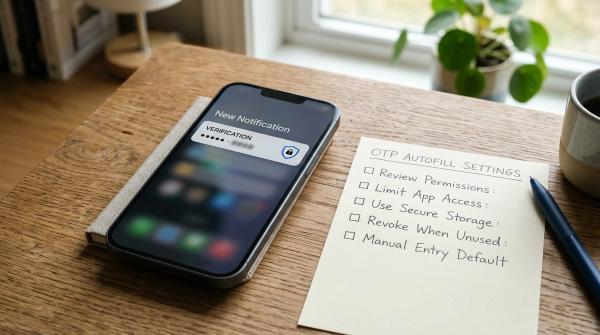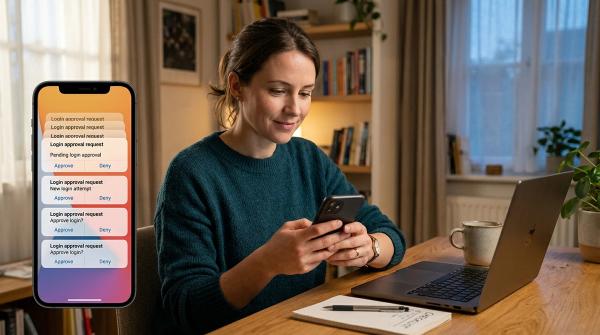
Your phone buzzes with a security alert saying someone changed your Facebook email or password from an unfamiliar city—or worse, you open the app and find yourself logged out completely. When you tap "Forgot Password," the reset code tries to go to an email address you have never seen before, ending in strange characters. In the next ten minutes, stress pushes people into clicking random links on Google, replying to strangers in comments claiming they can "unlock any Meta account in an hour," or submitting dozens of repeated forms from a strange work computer.
You can still recover a hacked Facebook account even after the attacker swapped your email, phone number, and password—provided you stop using normal password reset loops and trigger Meta's official compromised-account flow carefully. The first important check isn't on Facebook at all: it sits inside your original email inbox, where Meta sends a time-sensitive "this wasn't me" security link before full lockout takes hold.
Let's walk step by step through what to do in the first fifteen minutes, how to get past hacker-changed 2FA codes using a trusted old device, what to audit once you regain entry, and why every "paid recovery expert" reaching out to you is a second scam waiting to happen.
Why Normal "Forgot Password" Forms Fail After a Hack
#Standard login recovery assumes you still control the email or phone number attached to the profile. Once hijackers breach an account—often via a reused password, a phishing login link disguised as a copyright strike, or a compromised browser session—their very first move is removing your email, changing the password, adding their own email or authenticator code, and booting active browsers.
Hitting "Forgot Password" on a fresh device after that happens just emails login codes straight into the hacker's inbox and wastes critical time. Meta's security engineering handles account takeovers through a separate flow designed around historical ownership signals: previously used passwords, familiar devices, normal IP locations, and backup identity verification. That single distinction explains why people stuck in reset loops all week finally get back in once they open the right flow from their usual phone.
First 10 Minutes: Check Your Original Email Inbox Immediately
#Pause before opening fifty recovery tabs and open the email account that used to belong to your Facebook profile (Gmail, Outlook, Yahoo, or your primary inbox). Whenever someone modifies primary contact credentials or security logins on Facebook, Meta dispatches automated alert messages to the previous email address.
Look for subject lines mentioning a primary email removal, unfamiliar login, or password change, and check Spam or Trash too—attackers who broke into your email first sometimes archive or filter Meta alerts straight into deleted folders. If your Google or Apple email was reused across passwords, change your main email password first before trusting any links, and verify nobody added unauthorized forwarding rules inside email settings.
If that authentic Meta alert is still waiting inside your inbox, check closely that the sender is genuine official Meta mail—never click random spoofed phishing alerts asking you to type passwords on lookalike pages—and follow its "Secure your account" or "Reverse this change" option right away. Caught early enough, that link rolls back unauthorized email swaps cleanly and forces an immediate lock-and-reset check.
Step-by-Step: Recovering When the Reversal Link Expired or Disappeared
#If the email alert link expired, got wiped by an attacker inside your mailbox, or simply throws an error, switch straight to Meta's dedicated hacked-account flow. Notice how preparation before clicking saves huge frustration:
- Use a trusted device and familiar connection: Do not try recovery from a friend's laptop across town on mobile tethering. Open the browser on your normal phone, tablet, or home desktop computer connected to your regular home Wi-Fi—the exact hardware-location fingerprint Meta already recognizes from months of everyday logins.
- Keep a brand-new, unlinked email inbox ready: Make sure you have access to a fresh email address (with a strong unique password) that has never been tied to another Facebook or Meta account before. Meta uses this safe backup channel to send private case updates and temporary login tokens once identity passes.
- Avoid rapid repeated failed submissions: Hammering recovery buttons twenty times an hour can trigger temporary rate limits that pause verification options for 24 hours. Move calmly one screen at a time.
Stage 1: Locate Your Account Using Old Details
#Open Meta's official compromised-account page through the Meta Help Center (find the "Hacked and Fake Accounts" option inside official Help or Meta's official hacked-account recovery entry—never trust sponsored ads above organic results). Select "My account is compromised".
When asked to identify your profile, search using your original phone number, your old email address, or your exact Facebook profile username (if a friend can still see your profile page, ask them to copy your clean profile name or URL slug for you cleanly). Don't worry if the profile photo or display name was swapped slightly by the thief; older profile identifiers often still map inside Meta's lookup index.
Stage 2: Trigger Historical Password Recognition
#Once the lookup lands on your profile card, Meta normally asks for a password or offers reset choices. Even though the thief changed it hours ago, enter your previous legitimate password—the real one you actually used right before the takeover.
Why does typing an invalid old password help? Meta's compromised-account handler detects that you entered an accurate recent historical password rather than guessing randomly, and opens recovery escalations stating "Your password was changed" with a clear path forward instead of treating you like a stranger.
Stage 3: Click "No Longer Have Access to These?"
#When the next security screen asks to verify using a login code sent to the hacker's updated email, phone number, or authenticator app, look near the bottom corner for "No longer have access to these?" or "Try another way" (wording shifts slightly between mobile web and app prompts).
Follow the prompt to enter your new clean contact email address twice. Wait patiently for the short verification code sent to that fresh inbox to prove you hold the destination address cleanly, then advance to Meta's automated identity check.
Video Selfie vs. Government ID Checks: How They Work
#Once you prove access to a clean contact email on a familiar device, Meta typically routes recovery into one of two automated ownership tests depending on what kind of media sits on your profile:
| Verification Method | Best Situation to Choose It | Common Reasons Submissions Fail |
|---|---|---|
| Live Video Selfie Check | Profile contains clear recognizable photos of your face | Dark lighting, glare on glasses, moving too fast, or accounts holding zero real photos of you |
| Government ID Photo Check | Business/brand accounts or profiles lacking clear personal photos | Blurry focus, fingers covering name or birth date, cropped card corners, or name mismatch against profile |
Before submitting either one, take thirty seconds to set up good window light, wipe your phone camera lens clean, and remove sunglasses or hats. If you upload an official identity document such as a driver's license, passport, or national ID card, lay the document flat on a dark matte desk so all four corners sit squarely inside the frame and every letter of your name and birth date matches what appeared on the profile before the hack. If you used a playful nickname online that bears zero resemblance to your legal card, video selfie matching (when offered) gives far better automated recognition.
Once uploaded, wait quietly for review—turns typically arrive within several hours to 48 hours at the fresh contact email you provided. Check spam folders gently in case automated notifications land there, and follow the single-use temporary link inside Meta's verified reply strictly on that same trusted device.
Immediate 10-Minute Cleanup Inside Meta Accounts Center
#Getting logged back in feels like crossing the finish line, yet leaving one backdoor open lets the attacker stroll straight back inside twenty minutes later. Work straight down this lockdown sequence before posting updates to friends:
- Strip unfamiliar emails, phone numbers, and linked accounts first: Open Settings, enter Meta Accounts Center, click Personal details > Contact info, and delete any unfamiliar email address or phone number added during the breach. Also check Accounts inside Accounts Center immediately—attackers sometimes link a rogue Instagram handle to maintain backdoor login rights even after you reset your Facebook password!
- Change your Facebook password to a brand-new unique phrase: Never reuse any variation of the old password or the password securing your email inbox.
- Kill every active login session across browsers and apps: Inside Password and security > Where you're logged in, log out all sessions across every unfamiliar city, device, or old browser. Our old device login cleanup checklist walks through clearing leftover app and browser sessions across every major account cleanly.
- Turn on App-Based Two-Factor Authentication (and inspect backup codes): Switch away from SMS-only codes to an authenticator app whenever possible, and check Authorized logins / Recovery codes so any codes generated by the thief are revoked and replaced cleanly. If you want a smooth app setup without locking yourself out on future phone upgrades, follow our authenticator app 2FA checklist.
- Check Meta Ad Manager, Business Portfolios, and Managed Pages: Even everyday personal accounts often sit as admins on family business Pages or carry an old debit or credit card inside Ad Accounts. Check Activity Log and Meta Ads Manager right away for unauthorized ad campaigns, unfamiliar users added to your Business Portfolio or Page roles, or strange billing receipts. If money was already charged to your card, save screenshots of the unfamiliar Ad Account ID and timestamps immediately, freeze or replace that bank card right away, and submit an unauthorized ad-account charge dispute through Meta's official ads support form—doing both prevents extra overnight ad burn while your card issuer investigates.
- Wipe unknown "Apps and Websites" integrations: Inside Facebook Settings, open Security and login > Apps and websites (and Business integrations) and remove every unfamiliar game, quiz tool, or unknown third-party sync app. Hackers occasionally grant token access to an external app so they can still read data or post spam even after you rotate your main login password.
- Delete malicious browser extensions or scan your PC: Notice if the hijack started right after installing a suspicious PDF converter, "free game utility," or browser extension on your computer. Removing stolen cookie malware first ensures your fresh password stays private.
One honest reality check helps while locking things down: if the attacker already ran spam ads or violated community rules on your profile before you got back inside, your account might show a temporary feature restriction or ad-account hold right after recovery. Don't panic or open a duplicate fake profile while clearing it—keep one clean appeal open inside Account Status using your genuine profile so automated enforcement clears properly without flagging you for ban evasion.
Why Paid Account Recovery Offers Are Always a Trap
#Within minutes of posting publicly on Twitter/X, Reddit, or a friend's Facebook wall asking "how do I recover my hacked Facebook account?", scammers flock into replies and DMs pretending to be "Meta support engineers," "cyber recovery specialists," or "verified ethical hackers." They show slick screenshots of fake admin dashboards and claim they can bypass queues instantly for $50 to $300 via gift cards, cryptocurrency, UPI, or wire transfer.
Meta never charges money to recover any hacked Facebook, Instagram, or WhatsApp account, and external third parties have zero private admin backdoors into Meta's servers. Paying a recovery stranger simply hands your money—and often extra photos of your passport or ID card that you sent them voluntarily—directly to criminals. Keep every communication strictly inside official Meta Help pages and automated Meta security emails.
Don't Forget Your Linked Accounts and Contacts
#Once an attacker compromises one social profile, friends and family often get hit next with urgent emergency money messages ("can you lend me cash for two hours?") or fake investment/crypto posts uploaded onto your timeline to scam people who trust your face.
Send a quick genuine message via another verified channel (like SMS or a voice call—remember not to rely solely on Facebook Messenger right away) letting close relatives and coworkers know your Facebook was compromised and never to send money or click sketchy verification links posted from it recently. If you run Instagram or WhatsApp alongside Facebook, audit those security settings separately too: our Instagram account recovery checklist and WhatsApp hacked account recovery guide cover how attackers hop across Meta platforms and how to lock every linked door shut cleanly.
Stay calm, move carefully from your usual device using official Meta channels, check that original email alert before anything else disappears, and wipe Accounts Center backdoors clean the moment you step back inside.